

Interfaces and routing
The Network tab holds the pages from the pfSense Interfaces menu, System → Routing, and the matching Status pages. Viewers can open them. Operators can change them.
Save and Apply
Section titled “Save and Apply”| Page | Save writes config | Applied to the running firewall |
|---|---|---|
| Interfaces (all tabs) | yes | No. There is no Apply step. The change takes effect when pfSense next reconfigures the interface, for example after a reboot or an Apply in the pfSense GUI. |
| Gateways | yes | Apply Changes reloads gateway monitoring only |
| Default gateway | yes | Same as Gateways |
| Static routes | yes | No Apply button |
| Gateway groups | yes | No Apply button |
To apply interface and routing changes now, open Interfaces → name or System → Routing in the pfSense GUI and click Apply Changes there.
Interfaces
Section titled “Interfaces”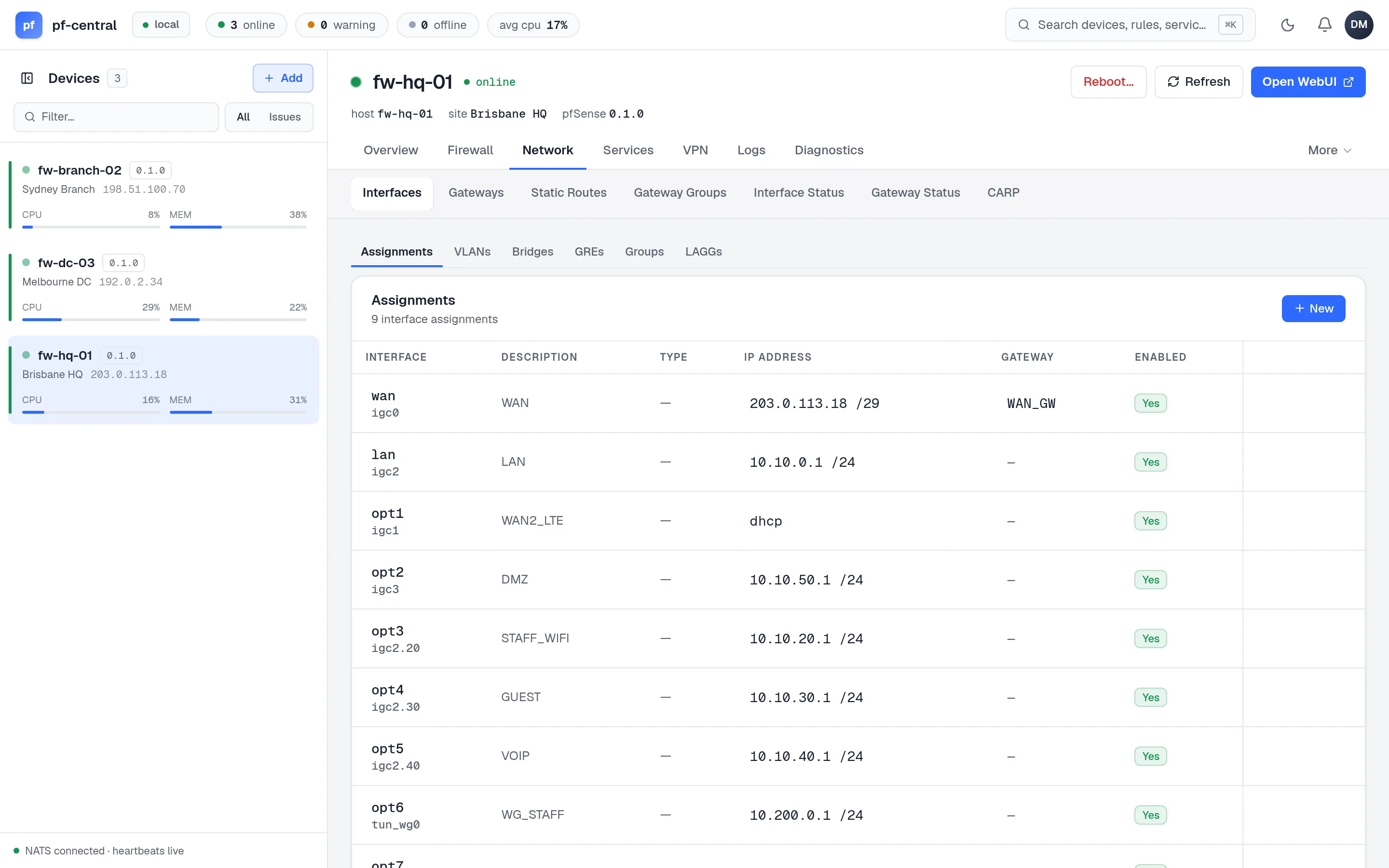
One page with six tabs. Every tab has a list, New, edit and delete. Interface and member names are typed by hand, for example igc0 or igc2.20.
| Tab | Fields |
|---|---|
| Assignments | Physical interface, enable, description; IPv4 type (Static, DHCP, None) with address, subnet and gateway; IPv6 type (Static, DHCPv6, SLAAC, None); spoof MAC; MTU; block private networks; block bogons. A new assignment gets the next free optN name. |
| VLANs | Parent interface, tag (1–4094), priority (PCP 0–7), description. After create you can only change the tag, priority and description. |
| Bridges | Members (comma-separated) and description |
| GRE | Parent interface, remote address, tunnel local and remote addresses, tunnel subnet, description |
| Groups | Name, members, description |
| LAGG | Members, protocol (lacp, failover, roundrobin…), description |
Click an assignment to open its detail page. You cannot change the physical interface there; delete and add it again instead.
Gateways
Section titled “Gateways”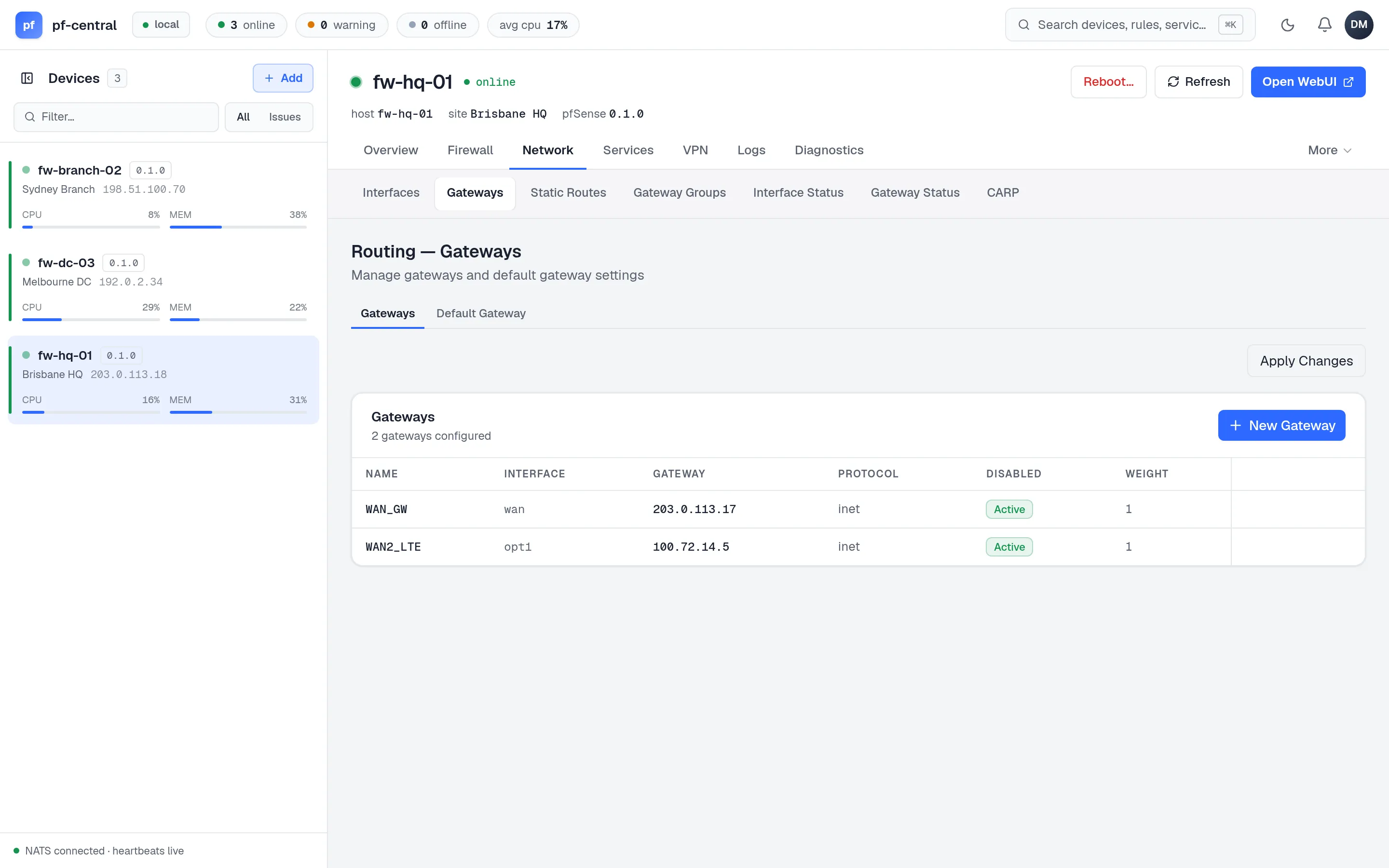
Two tabs:
- Gateways: name, description, interface, gateway address, IPv4 or IPv6, weight, monitor IP, and options to disable monitoring or the gateway.
- Default Gateway: the default IPv4 and IPv6 gateway names.
Apply Changes restarts gateway monitoring (dpinger) so new monitor settings take effect.
Static routes
Section titled “Static routes”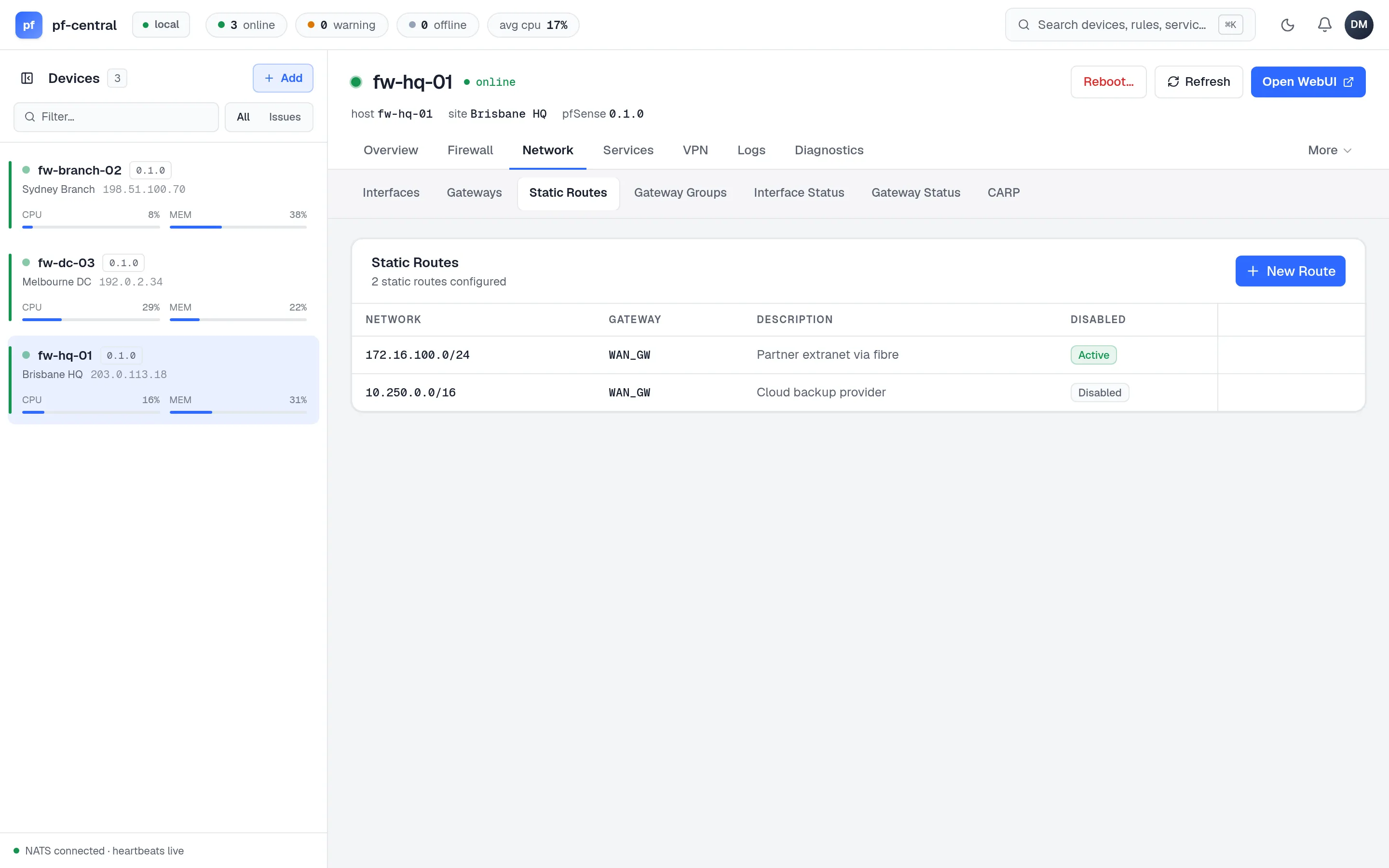
Each route has a destination network in CIDR form, a gateway name (not an address), a description and a disabled flag.
Gateway groups
Section titled “Gateway groups”A gateway group is a set of gateways with tiers, used for failover or load balancing. Fields: name, description, trigger (Member Failure, All Members Failure or Down), and one line per member in the form:
WAN_DHCP:1:addressWAN2_DHCP:2:addressEach line is gateway:tier:virtual-ip. Use address as the virtual IP for the interface’s own address. Lower tiers are used first. Lines that do not match the form are dropped without a warning, so check the list after you save.
Status pages
Section titled “Status pages”These pages are read-only. They load once when you open them; reload the page to update.
| Page | Shows |
|---|---|
| Interface Status | Each interface’s state, address, traffic counters and media. Click a row to open its assignment. |
| Gateway Status | Each gateway’s monitor address, delay, deviation, loss and status. |
| CARP | Whether CARP is enabled and whether the firewall is in maintenance mode. Manage CARP addresses in Virtual IPs. |
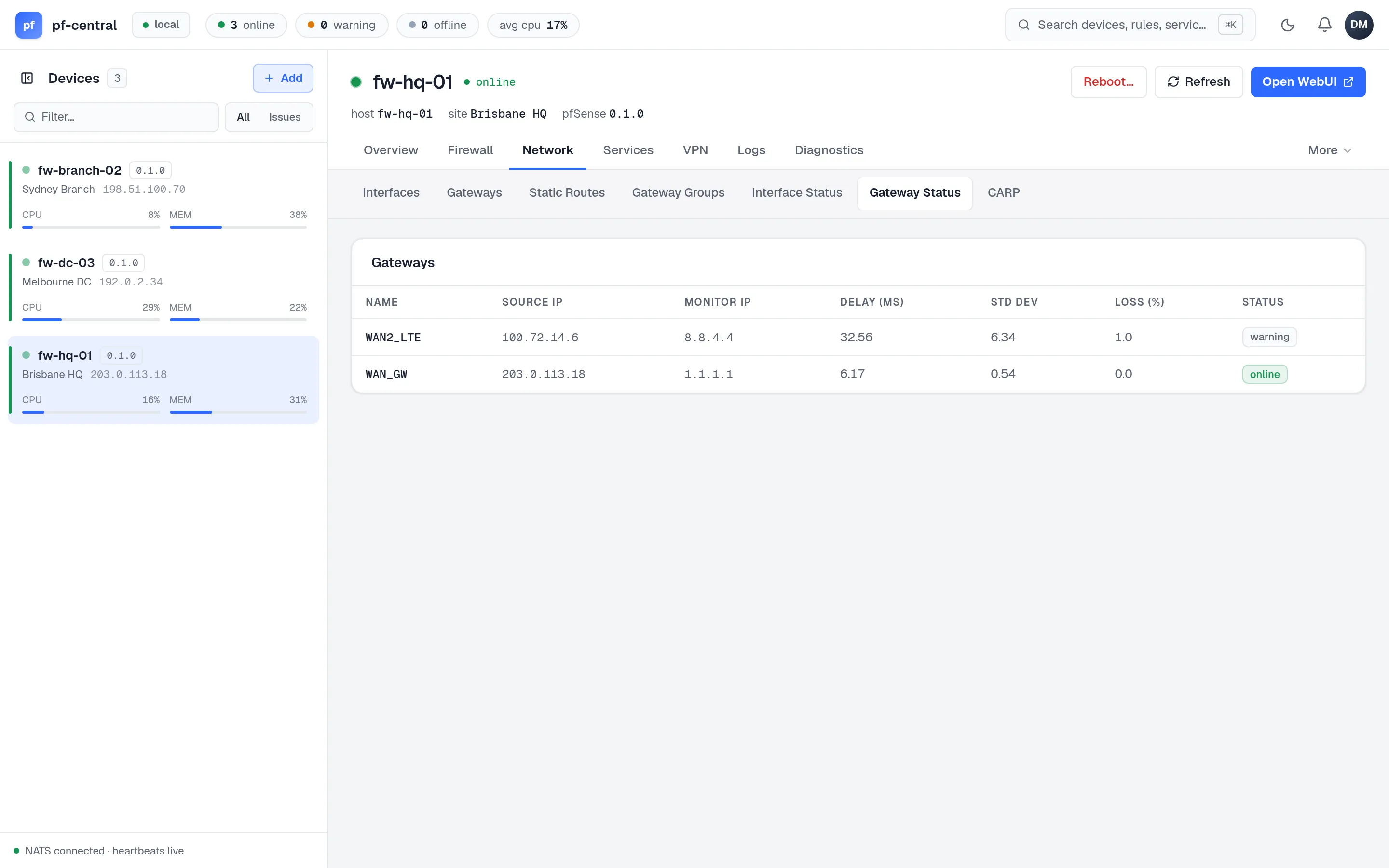
The Overview tab also shows gateways and interfaces, with live values from telemetry.