

Tutorial 1: Deploy your first server
In this tutorial you run the pfCentral server on one Linux host, look at what it creates, and sign in for the first time. It takes about 20 minutes.
You will learn:
- what the server needs: a database, two ports, and a folder for keys;
- what happens on first boot, and why the state folder matters;
- how the one-time setup link creates the first owner account.
You need: a Linux host with Docker Engine and the Compose plugin (docker compose version works), and its IP address. This tutorial uses 192.168.1.50.
1. Understand what you are about to run
Section titled “1. Understand what you are about to run”┌──────────────────────── your Linux host ─────────────────────────┐│ ││ ┌──────────────┐ ┌────────────────────────────────────┐ ││ │ postgres │◀──────▶│ pf-central │ ││ │ (database) │ 5432 │ web UI + API ............ :2808 │◀─┼── browsers, agents (enroll)│ └──────────────┘ │ NATS broker ............ :24222 │◀─┼── agents (always on)│ │ │ state folder ........... /data │ ││ pgdata volume └────────────────────────────────────┘ ││ │ ││ state volume │└───────────────────────────────────────────────────────────────────┘Two containers: PostgreSQL, which stores users, devices and sessions, and pf-central, which is the web UI, the API and the NATS broker in one process. The pf-central container keeps its keys and certificates in /data, so you give it a volume.
2. Write the Compose file
Section titled “2. Write the Compose file”-
Make a folder and generate a random token pepper. The server mixes it into every stored secret hash. You set it once and keep it forever.
Terminal window mkdir ~/pf-central && cd ~/pf-centralopenssl rand -hex 32 -
Create
compose.yaml:compose.yaml services:postgres:image: postgres:17restart: unless-stoppedenvironment:POSTGRES_DB: pf_centralPOSTGRES_USER: pf_centralPOSTGRES_PASSWORD: change-this-db-passwordvolumes:- pgdata:/var/lib/postgresql/datahealthcheck:test: ["CMD-SHELL", "pg_isready -U pf_central -d pf_central"]interval: 5sretries: 10pf-central:image: ghcr.io/danielmichaels/pf-central:latestrestart: unless-stoppeddepends_on:postgres:condition: service_healthyports:- "2808:2808"- "24222:24222"environment:PFCENTRAL_DATABASE_URL: postgres://pf_central:change-this-db-password@postgres:5432/pf_central?sslmode=disablePFCENTRAL_SERVER_BASE_URL: http://192.168.1.50:2808PFCENTRAL_TRUSTED_ORIGINS: http://192.168.1.50:2808PFCENTRAL_COOKIE_SECURE: "false"PFCENTRAL_TOKEN_PEPPER_CURRENT: paste-your-pepper-herePFCENTRAL_TOKEN_PEPPER_VERSIONS: paste-your-pepper-herePFCENTRAL_LOG_JSON: "false"PFCENTRAL_LOG_LEVEL: infovolumes:- state:/datavolumes:pgdata:state: -
Read what each setting does before you start it:
Setting Why PFCENTRAL_DATABASE_URLWhere PostgreSQL is. postgresis the service name inside Compose.PFCENTRAL_SERVER_BASE_URLThe address people use. It goes into setup, invite and reset links. PFCENTRAL_TRUSTED_ORIGINSThe server refuses form posts from any other origin. This blocks cross-site request forgery. PFCENTRAL_COOKIE_SECUREfalselets the session cookie work over plain HTTP. Remove it when you add HTTPS in Day 0.PFCENTRAL_TOKEN_PEPPER_*Your secret pepper. CURRENTis used for new hashes;VERSIONSlists every pepper still accepted.PFCENTRAL_LOG_JSONfalsegives readable logs. Production log shippers prefer the default,true.
3. Start the server and read the logs
Section titled “3. Start the server and read the logs”docker compose up -ddocker compose logs -f pf-centralThe first start does a lot. These are the lines to look for, in order:
INFO database migrations appliedINFO bootstrap: first-run detected; provisioning operator + accounts + setup tokenINFO bootstrap complete tenant_id=db9j…WARN embedded NATS client listener running without TLS (plaintext)INFO embedded NATS server started url=nats://0.0.0.0:24222INFO telemetry stream ready stream=TELEMETRY max_age=6hINFO KV bucket ready bucket=device-presence ttl=15sINFO authorization callout service started … ttl=1h0m0s╔══ pf-central first-run setup ══════════════════════╗║ Visit: http://192.168.1.50:2808/setup?token=setup_vafr…║ Expires in 24h; single-use║ This URL is shown ONCE. Save it now.╚══════════════════════════════════════════════════════╝INFO server listening addr=:2808What happened:
- Migrations created the database tables.
- Bootstrap generated the NATS operator and account keys and the internal credentials, and wrote them to the state folder.
- The NATS broker started inside the process, with storage for telemetry and device presence. The warning about plaintext is expected for now; TLS for the agent link removes it.
- The authorization callout started. It is the service that admits agents to NATS.
- The server printed a setup link. It works once and expires in 24 hours.
Press Ctrl+C to stop following the logs. The server keeps running.
4. Look at the state folder
Section titled “4. Look at the state folder”The state volume now holds the server’s identity:
Directorydata/
Directorystate/
Directorynats/
- operator.nk the root signing key
- op-sk-1.nk
Directoryaccounts/ one folder per NATS account, with its keys
- …
Directoryusers/
- backend.creds the server’s own NATS login
- auth.creds the callout service login
- sentinel.creds given to agents when they enroll
- sys.creds
Directoryjwt/ cache, rebuilt from the database
- …
Directoryjs/ JetStream storage: telemetry and presence
- …
These files and the database belong together. If you lose the state folder but keep the database, the server refuses to start, and every firewall must be enrolled again. You will set up backups in Back up and restore.
5. Create the owner account
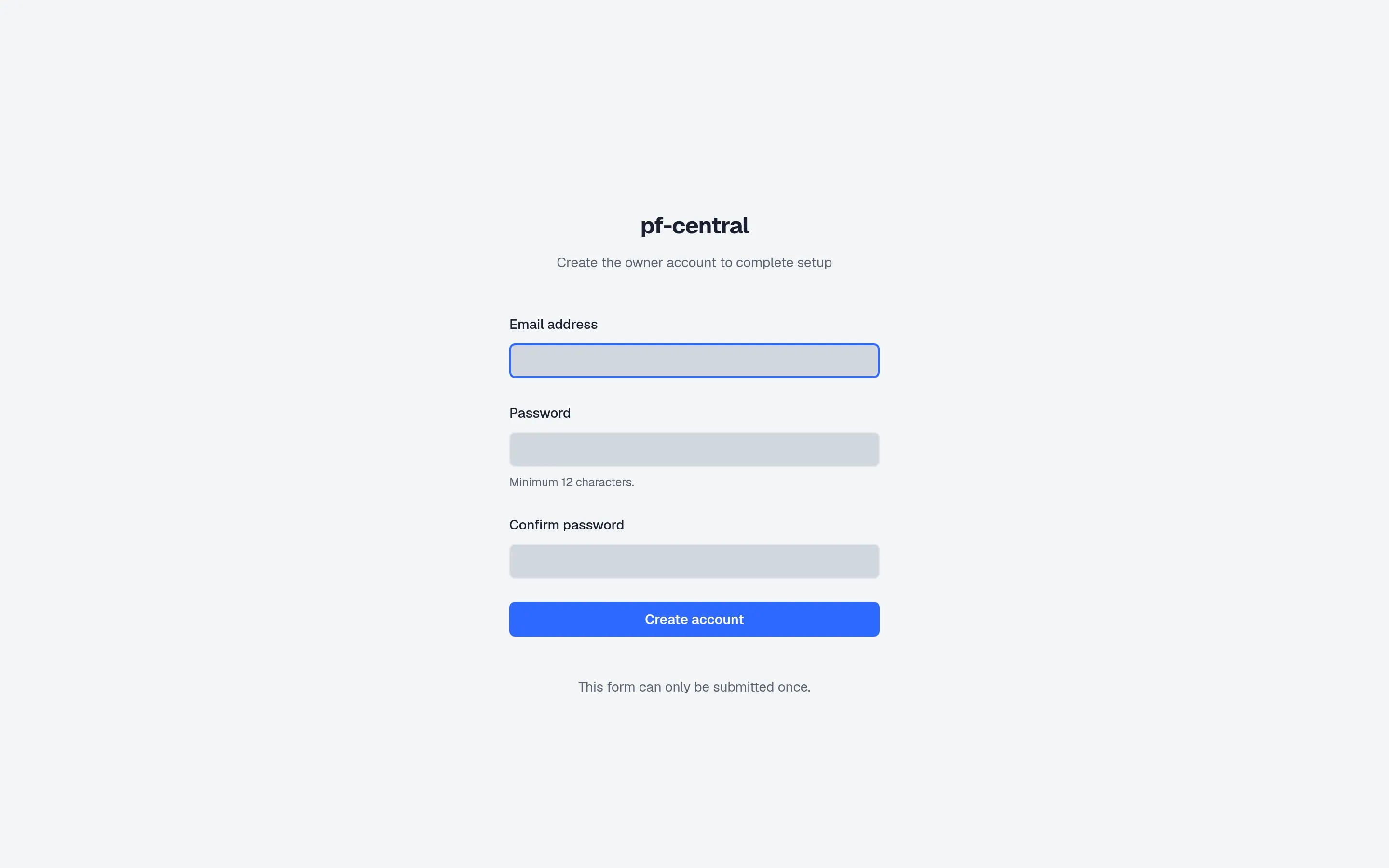
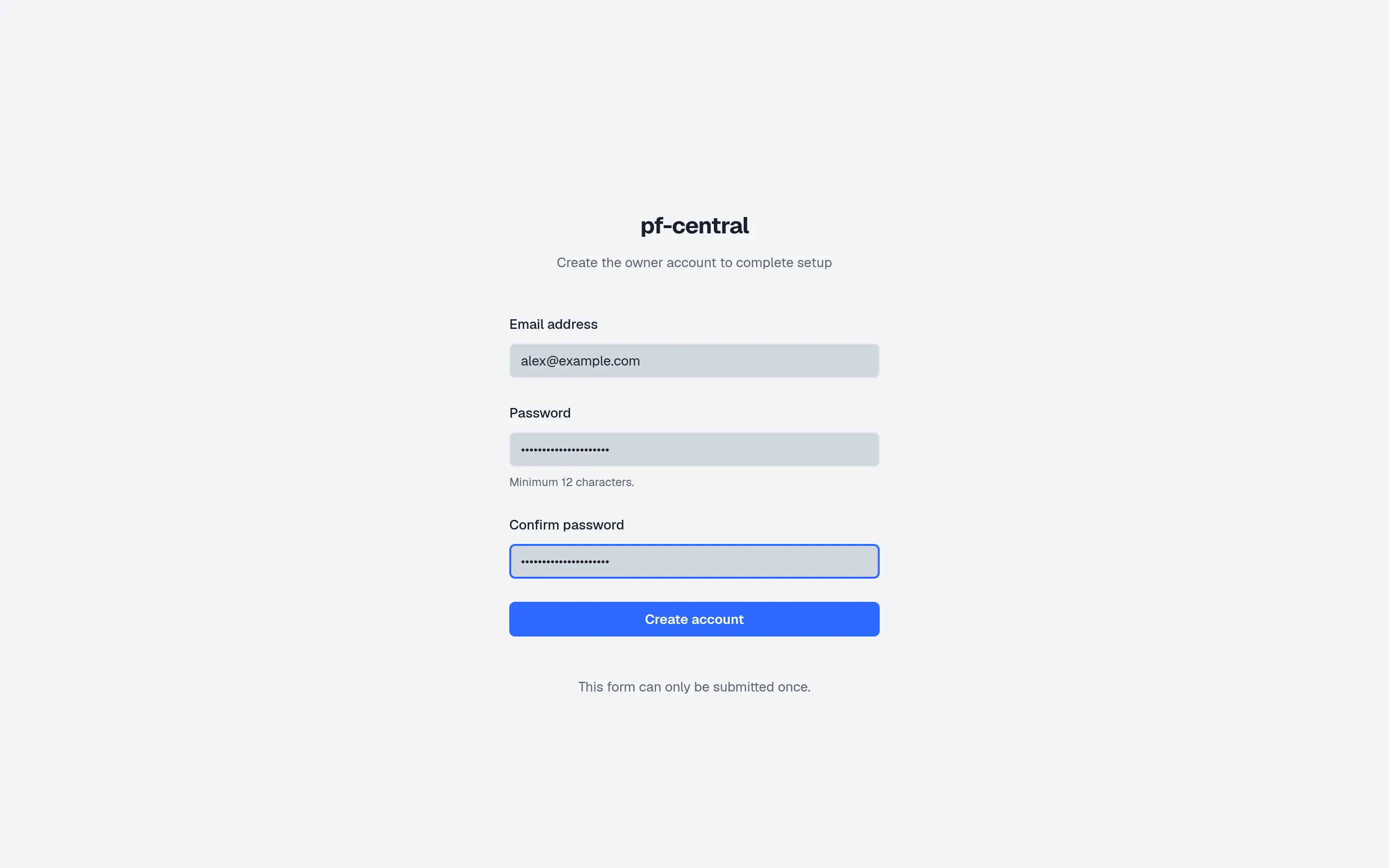
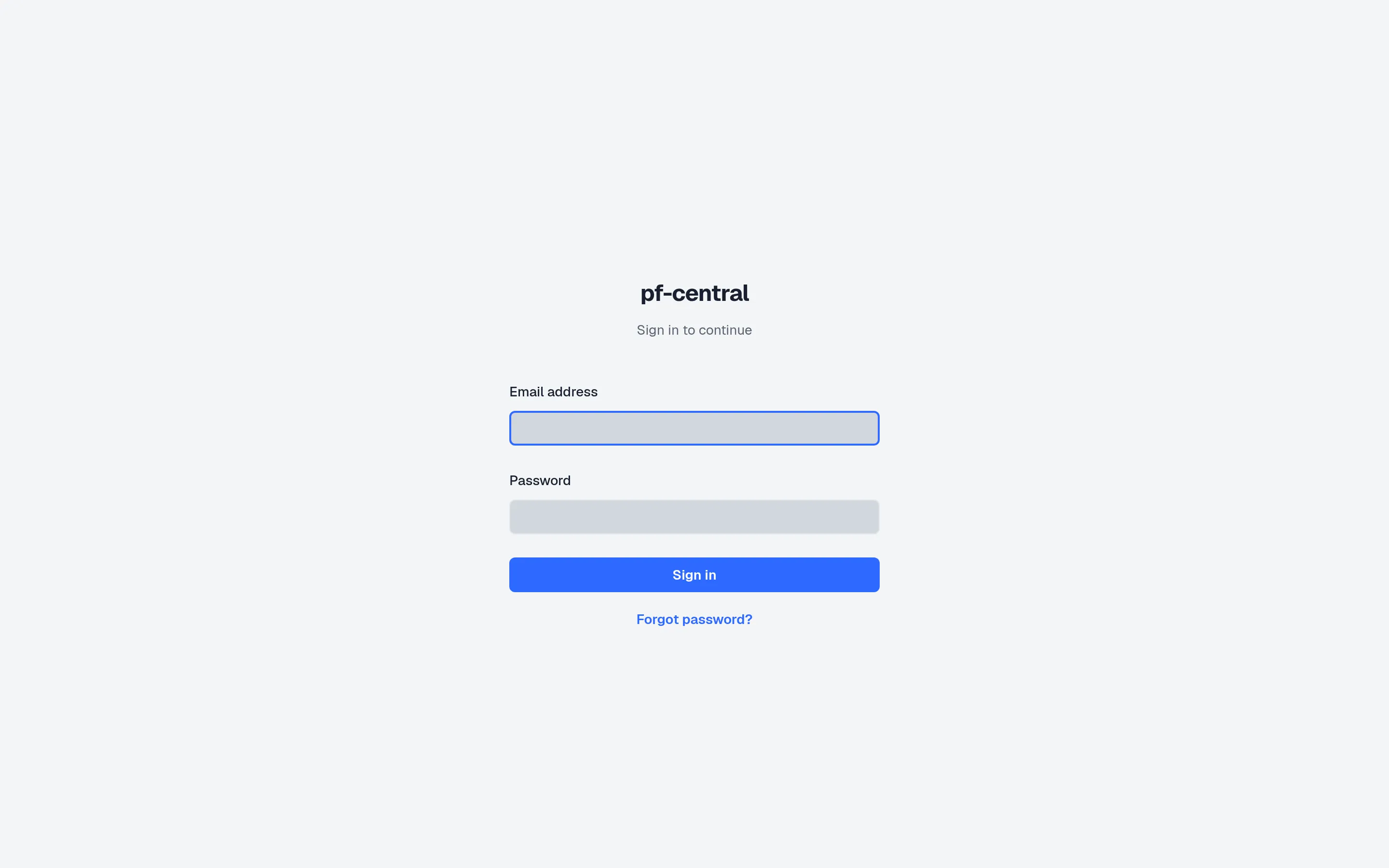
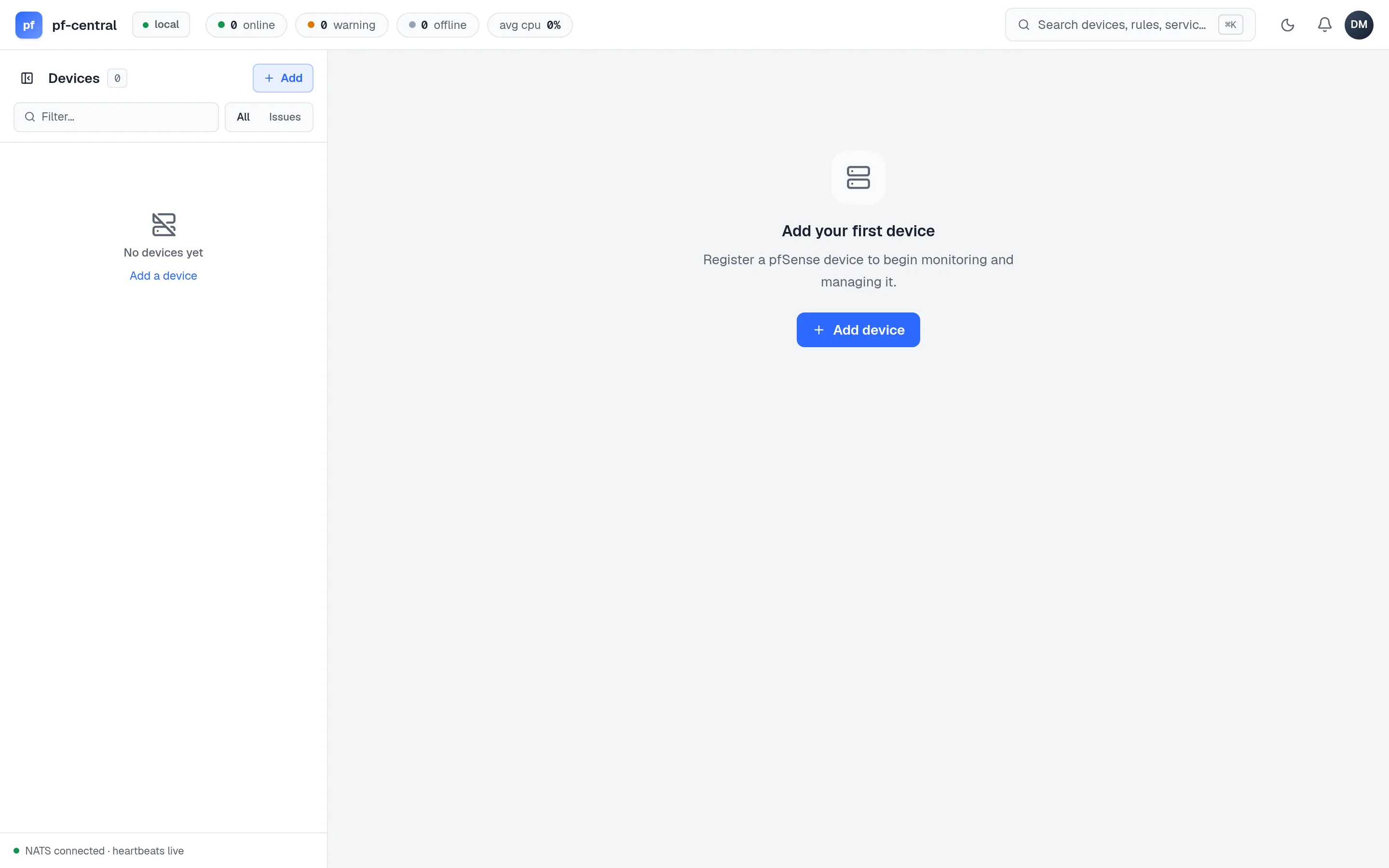
Section titled “5. Create the owner account”Open the setup link in a browser and step through the screens:
-
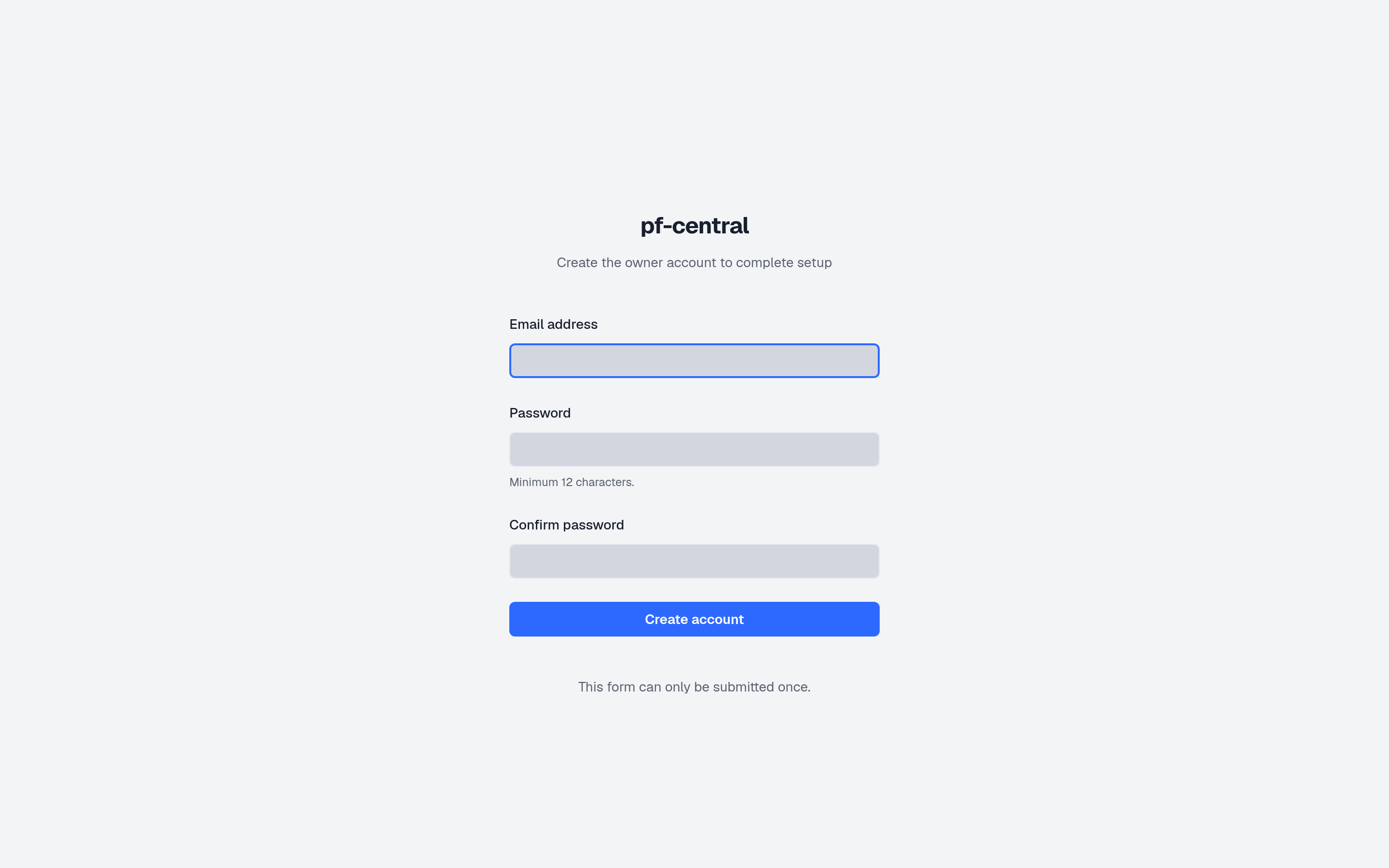
Full size ↗ Step 1 of 4 Open the setup linkThe page asks for the owner's email and a password. The link is the only way to create the first account, so nobody else on the network can claim the server first.
-
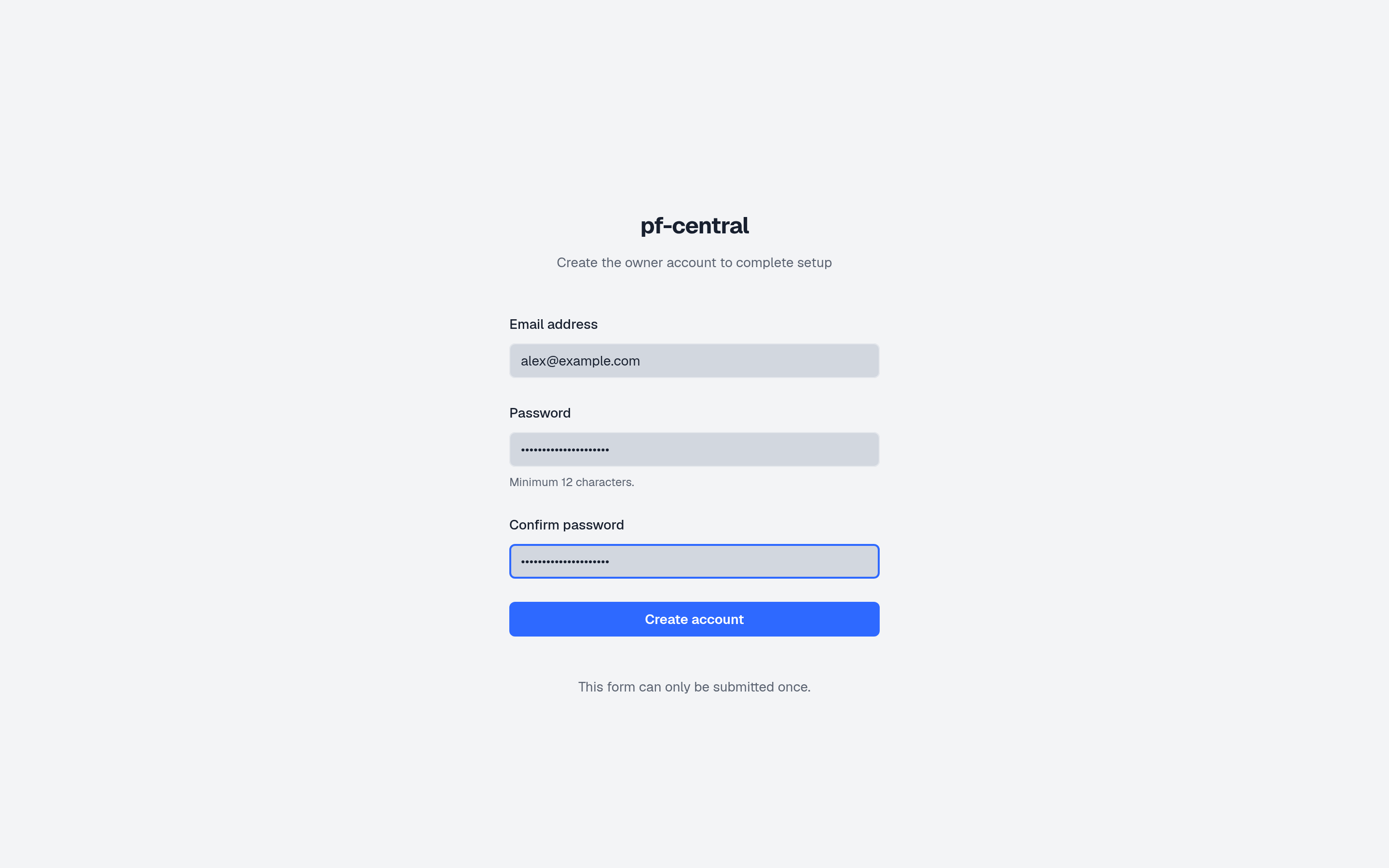
Full size ↗ Step 2 of 4 Enter your detailsUse a password of at least 12 characters. This account is the owner: it can do everything, including managing other owners.
-
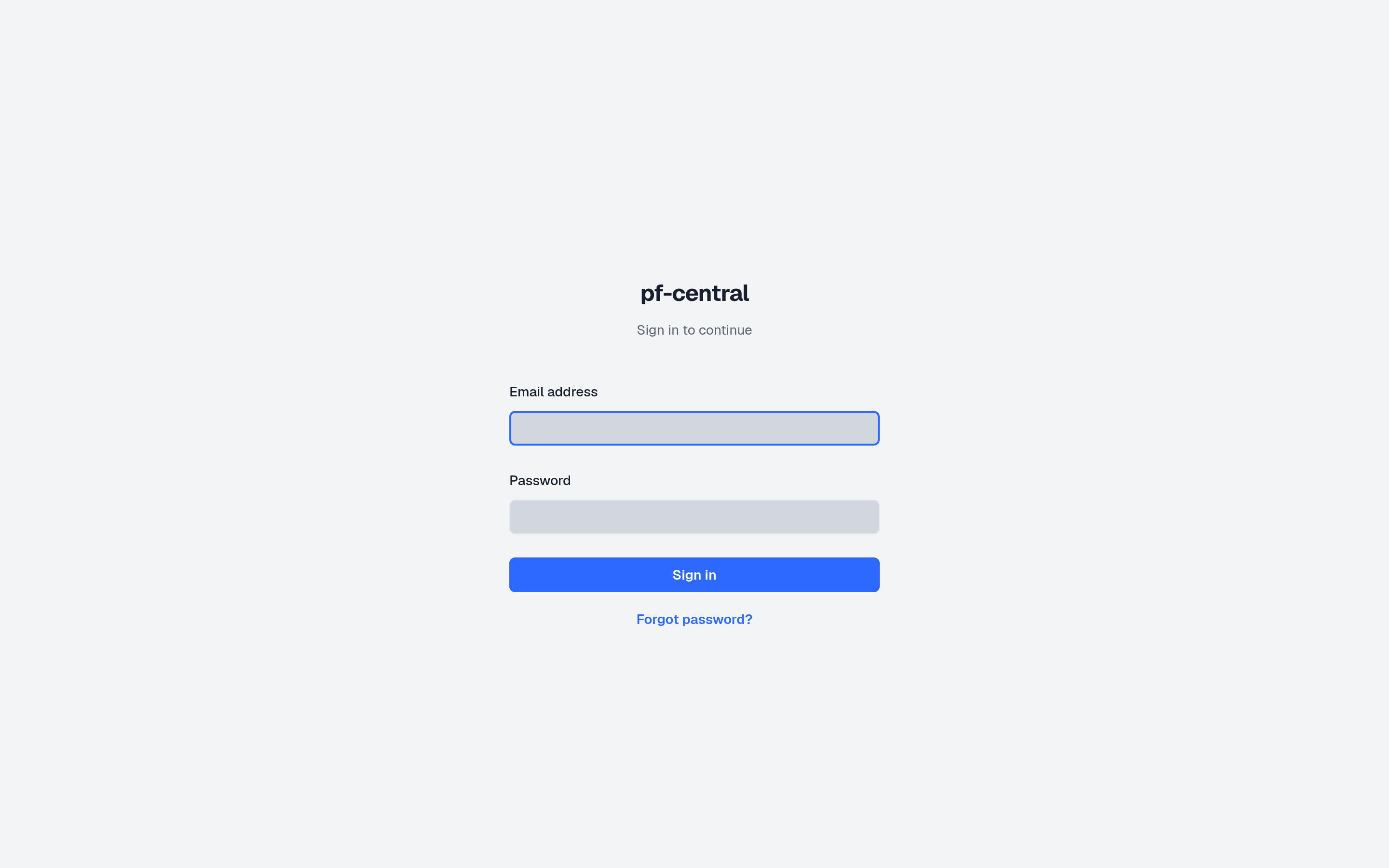
Full size ↗ Step 3 of 4 Sign inAfter you submit, the setup link is used up and you land on the sign-in page. Sign in with the details you just set.
-
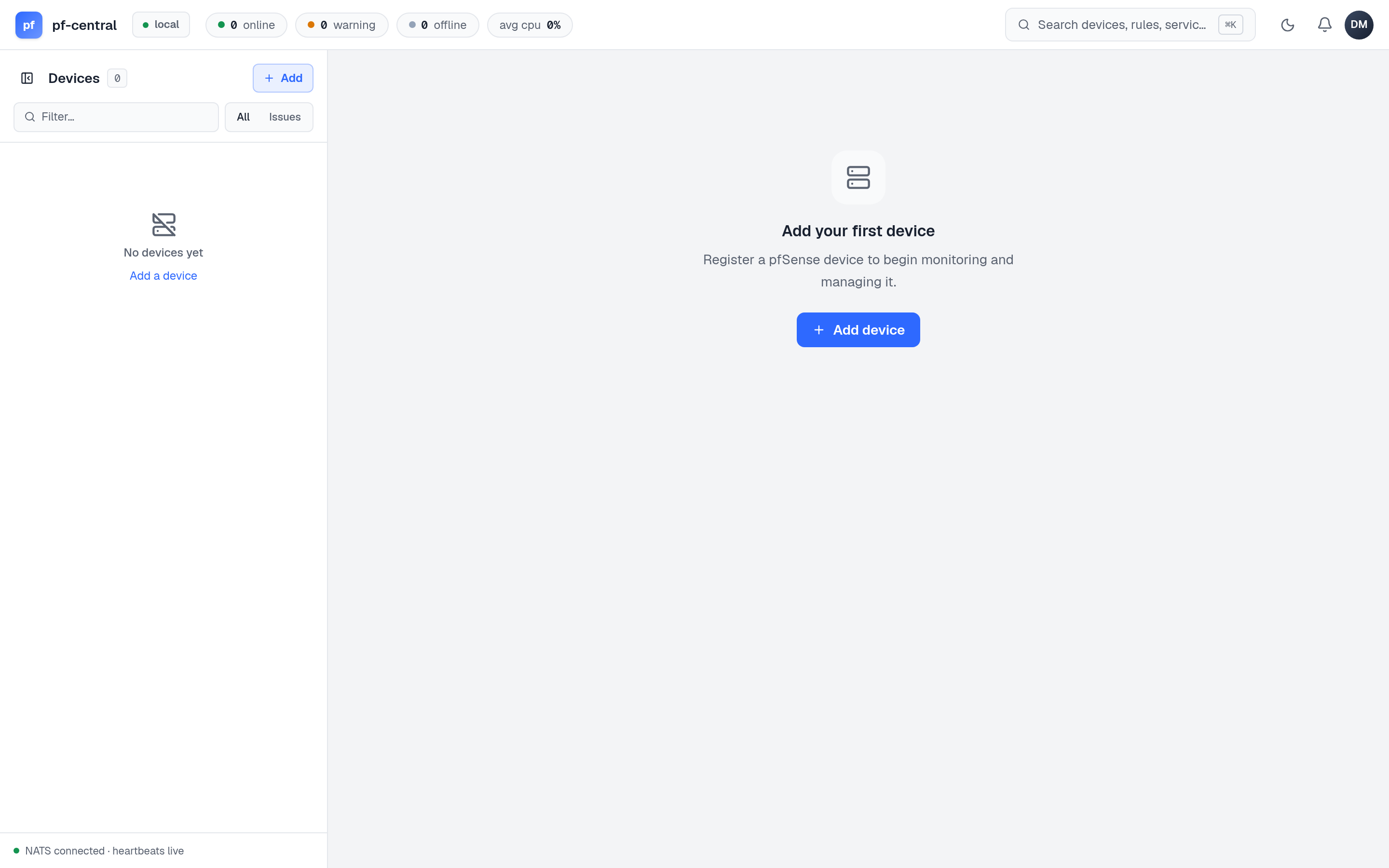
Full size ↗ Step 4 of 4 You are inThe fleet is empty. The top bar counts online, warning and offline devices; the left rail will list every firewall. Next, you connect one.
What you built
Section titled “What you built”- A pfCentral server with its own NATS broker, reachable on ports 2808 and 24222.
- An owner account.
- A state folder and a database that together hold the server’s identity.