

Upgrade agents
An agent upgrade replaces the nats-agent binary on the firewall and restarts the agent. The firewall’s own traffic is not affected; pfCentral shows the device offline for a few seconds while the agent restarts.
Choose a way
Section titled “Choose a way”Open the device, then More → Package Manager. The pfCentral Agent card shows the running version, a binary URL, and Download & Restart. Leave the URL at the default to get the latest release, or set your mirror. You need the admin role.
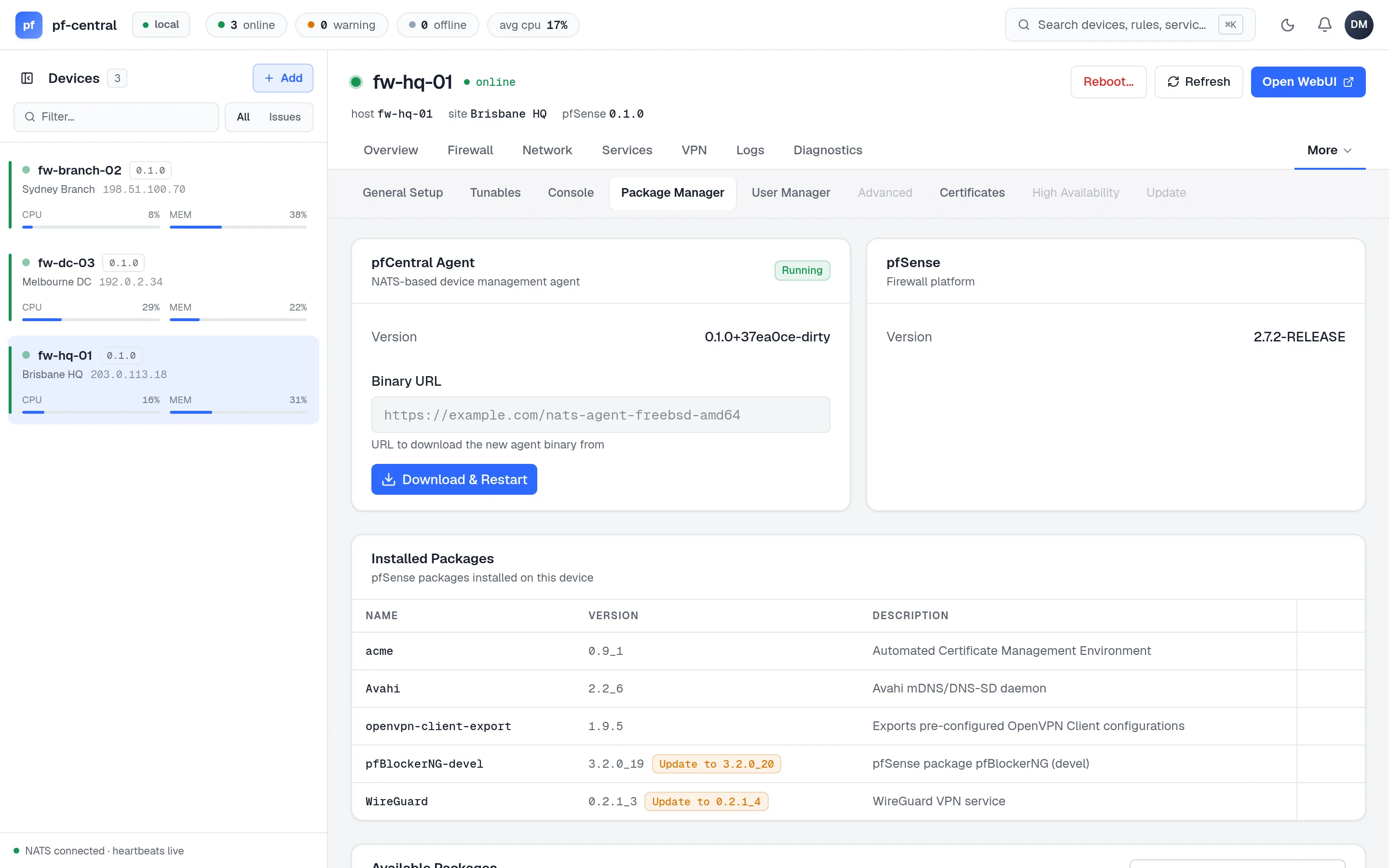
The URL you enter here is used once. It does not change the firewall’s saved Binary Source setting.
While the upgrade runs the card says what it is waiting for — first the download, then the agent coming back. The version updates in place when the restarted agent answers, so no reload is needed. If the agent does not report back within about a minute, pfCentral says so and asks you to reload.
On the firewall, open Services → pfCentral → Status and click Download & Restart. It downloads the binary from the Binary Source in Settings, replaces the old one in a single step, and restarts the agent.
Run the installer again. On a firewall that already has settings, it upgrades the package and the binary and keeps every setting:
fetch -o - https://github.com/danielmichaels/pf-central-artifacts/releases/latest/download/install.sh | shThis is the only way that also updates the pfSense package (the GUI pages and service script). Use your configuration management tool to run it across the fleet.
Check the result
Section titled “Check the result”- The version chip next to the device name in the left rail.
- Services → pfCentral → Status on the firewall: Version tile.
Package only
Section titled “Package only”To replace just the pfSense package:
pkg add -f https://github.com/danielmichaels/pf-central-artifacts/releases/latest/download/pfSense-pkg-nats-agent.pkgpkg info pfSense-pkg-nats-agent