

Watch fleet health
Day 2 starts with one question every morning: are all firewalls up? pfCentral answers it in the UI and as Prometheus metrics.
In the UI
Section titled “In the UI”The top bar counts devices online, warning (added but not enrolled yet) and offline, and shows the average CPU. The left rail lists every firewall with a status dot and live CPU and memory. Issues in the rail filters to devices that are not online.
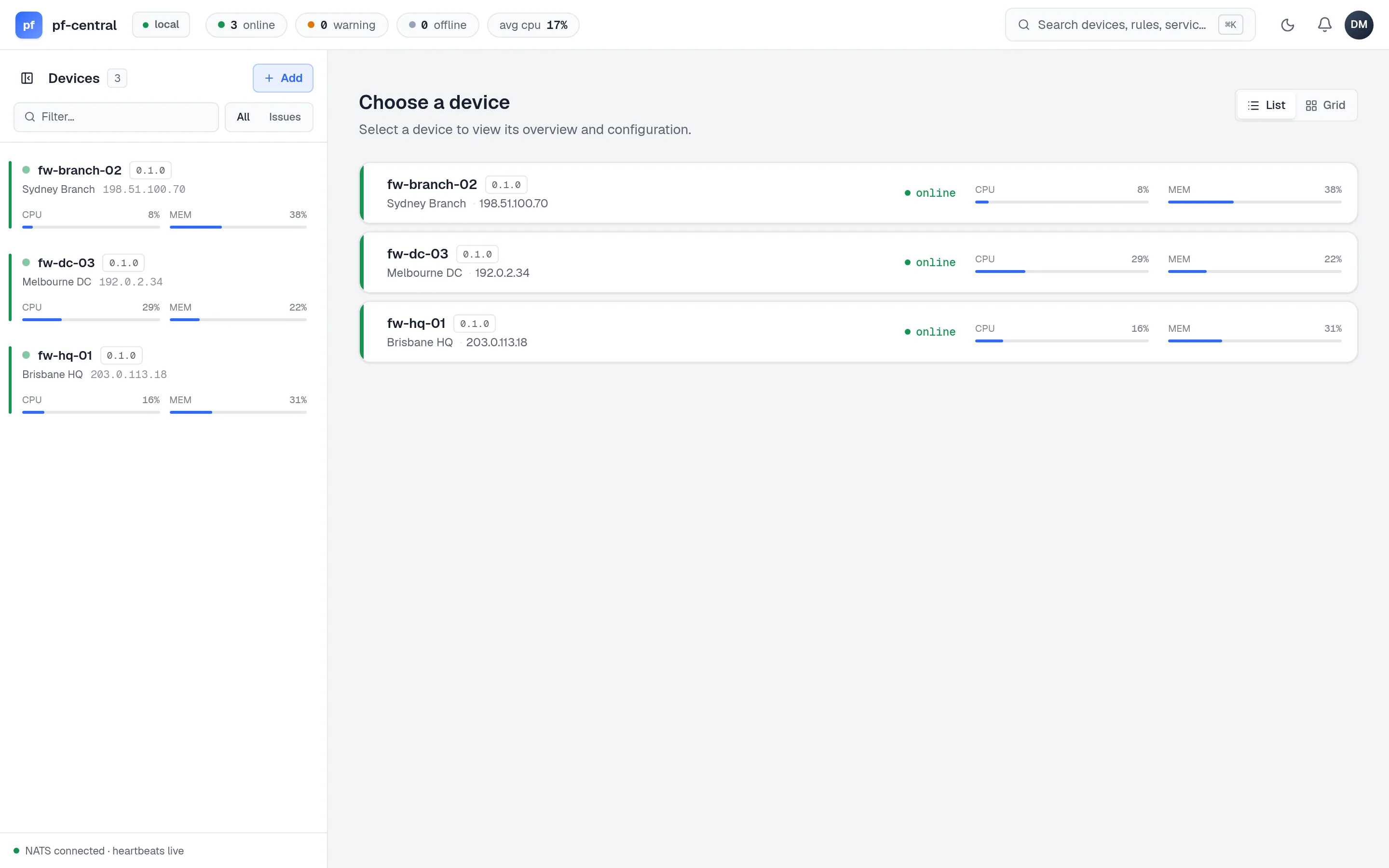
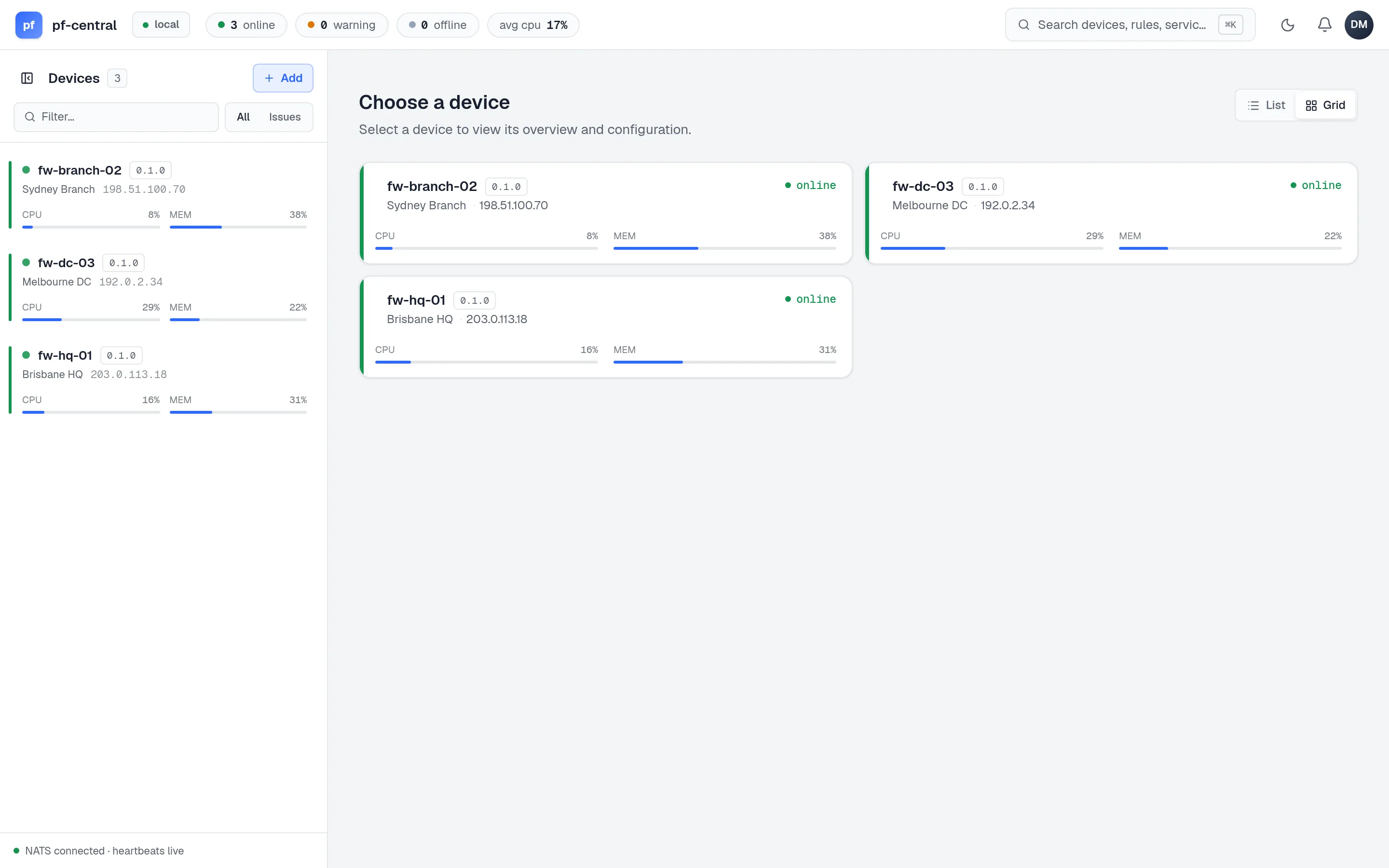
The fleet page has a List and a Grid view. Your choice is remembered in the browser.
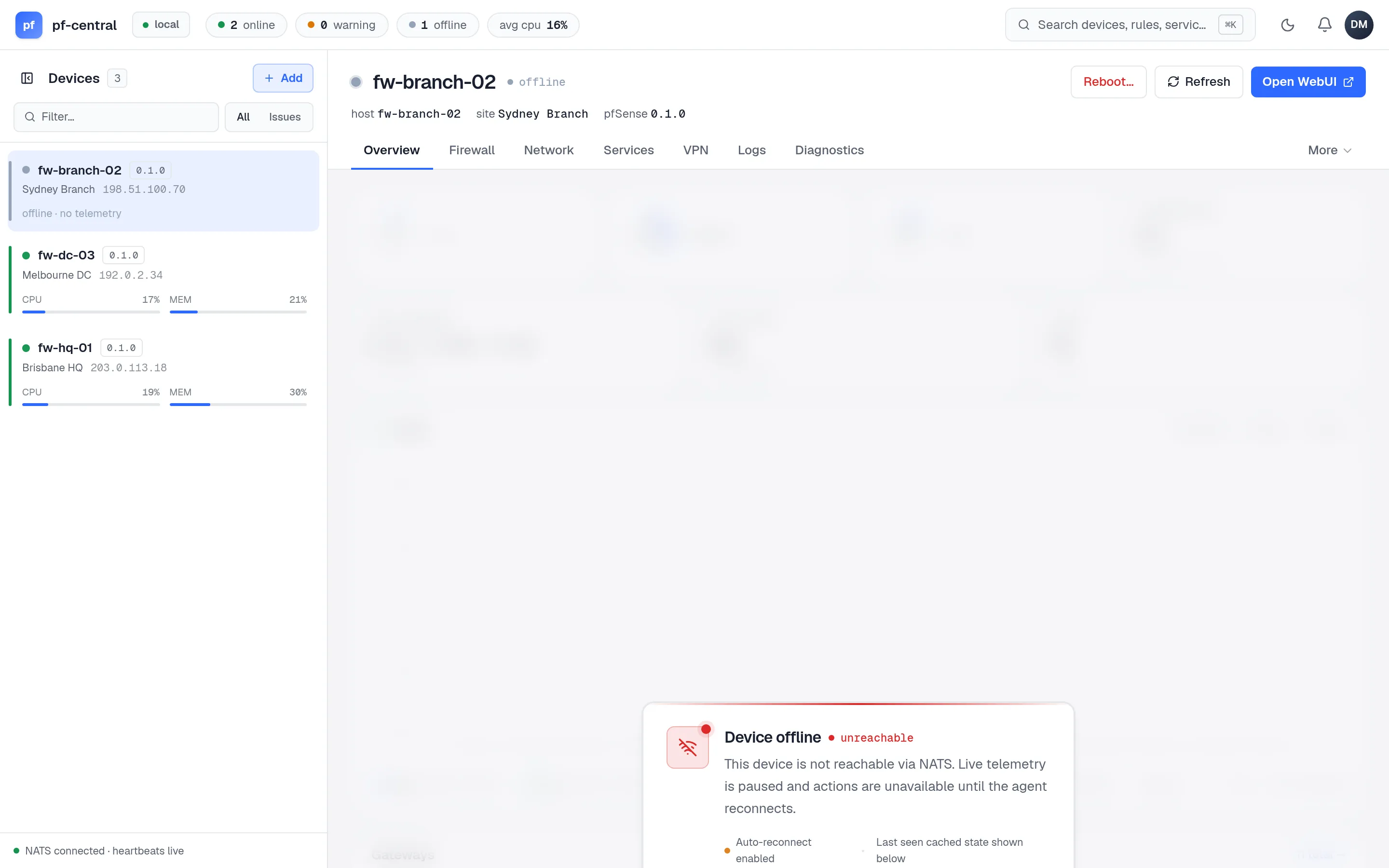
When a firewall goes offline, its pages keep the last known data under an Offline banner, and changes are blocked until it is back:
How fast status changes is explained, with a simulator, in Online, offline and telemetry.
Prometheus metrics
Section titled “Prometheus metrics”GET /metrics returns the latest telemetry for every firewall in Prometheus text format. It needs no login, so allow only your scraper to reach it.
scrape_configs: - job_name: pfcentral scheme: https metrics_path: /metrics scrape_interval: 30s static_configs: - targets: ["pf.example.com"]Every series has a device_id label.
| Metric | Type | Meaning |
|---|---|---|
pfsense_cpu_percent | gauge | CPU use |
pfsense_memory_* | gauge | Memory use |
pfsense_disk_percent, pfsense_swap_percent | gauge | Root disk and swap use |
pfsense_temp_celsius | gauge | CPU temperature |
pfsense_uptime_seconds | gauge | Firewall uptime |
pfsense_states_used, pfsense_states_max | gauge | pf state table |
pfsense_interface_{in,out}_{bytes,packets}_total | counter | Per-interface traffic, label interface |
pfsense_gateway_{delay_ms,stddev_ms,loss_percent} | gauge | Gateway monitoring |
pfsense_vpn_{bytes_recv,bytes_sent}_total, pfsense_vpn_connected_clients | counter, gauge | VPN traffic and clients |
Example alerts
Section titled “Example alerts”groups: - name: pfcentral rules: - alert: PfSenseStale expr: changes(pfsense_uptime_seconds[5m]) == 0 for: 5m annotations: summary: "No fresh telemetry from {{ $labels.device_id }}" - alert: PfSenseGatewayLoss expr: pfsense_gateway_loss_percent > 10 for: 5m - alert: PfSenseStateTableHigh expr: pfsense_states_used / pfsense_states_max > 0.8 for: 15m - alert: PfSenseDiskHigh expr: pfsense_disk_percent > 85 for: 30mpfCentral has no built-in alerting yet. The bell in the top bar is a placeholder.
Watching the server itself
Section titled “Watching the server itself”- Liveness: a TCP check on port 2808, or an HTTP check on
/loginfor status 200. - Logs: JSON on stdout by default (
PFCENTRAL_LOG_JSON=true). Ship them to your log system. Useful messages:server listening,authorization callout service started,device registry started, warnings about TLS or email. - Database: monitor PostgreSQL as usual. pfCentral’s load on it is light.
- Disk: the state volume grows with JetStream telemetry, which is kept for 6 hours.