

Services
The Services tab holds the pages from the pfSense Services menu. Viewers can open them. Operators can change them and start or stop services.
Save and Apply
Section titled “Save and Apply”Some service pages do not reload the service after a save yet. Read this table before you change a service.
| Page | Save writes config | Applied to the running service |
|---|---|---|
| DHCP Server | yes | No button yet. Restart the DHCP service from the Services list, or use the API’s apply operation. |
| DNS Resolver | yes | No button yet. Restart unbound from the Services list, or use the API’s apply operation. |
| DNS Forwarder | yes | Apply Changes restarts dnsmasq |
| NTP | yes | No. Restart ntpd from the Services list. |
| SSH | yes | No. Restart sshd from the Services list. |
| Cron | yes | No. pfSense uses the change when it next writes its crontab, for example after a reboot. |
Services list
Section titled “Services list”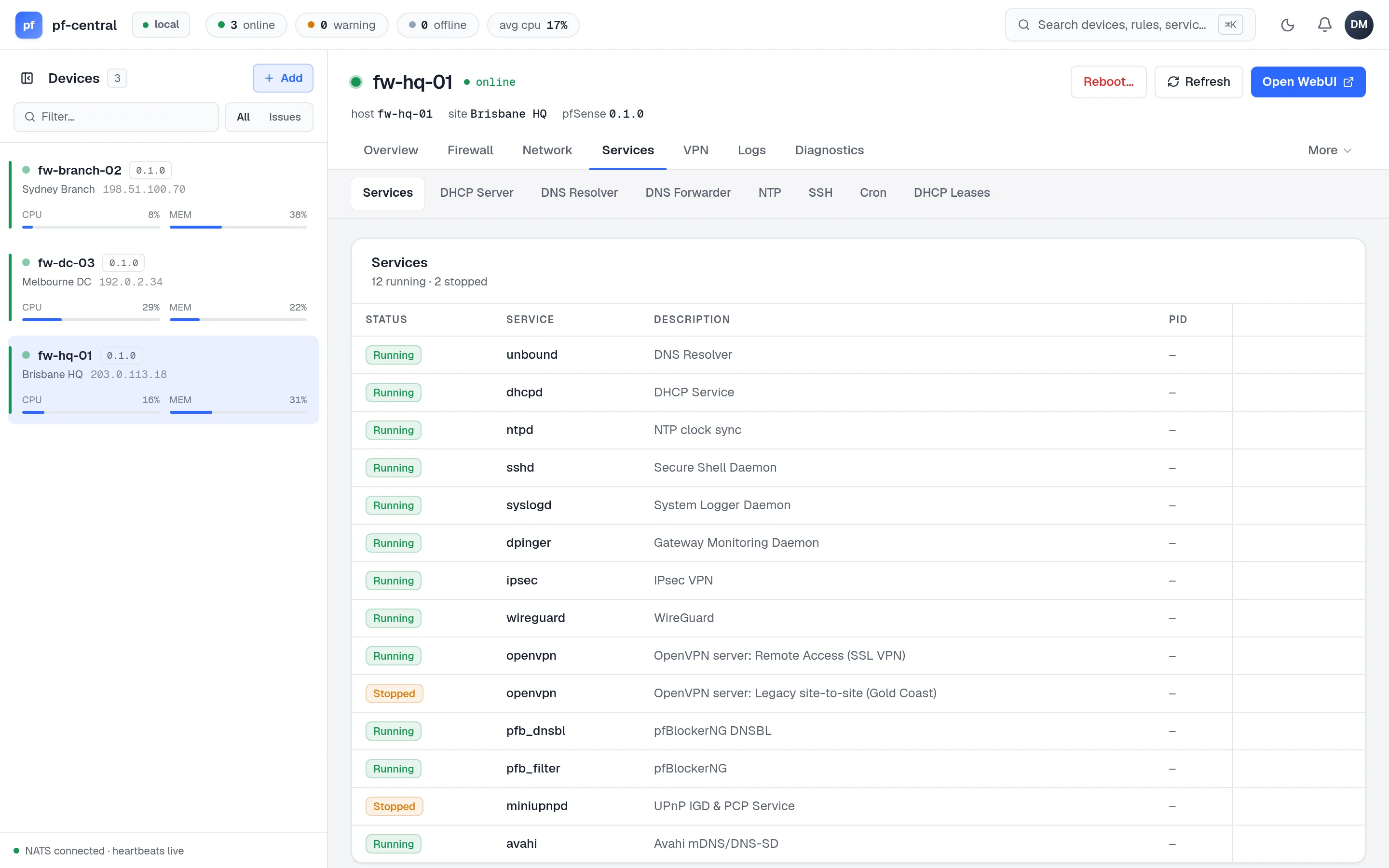
Every pfSense service with its status, PID and description. Running services have Restart and Stop. Stopped services have Start. The Overview tab also has a Restart button for each stopped service.
The pfCentral agent (nats_agent) has no buttons. Stopping it would cut the firewall off from pfCentral. Manage it from the firewall; see Upgrade agents.
DHCP Server
Section titled “DHCP Server”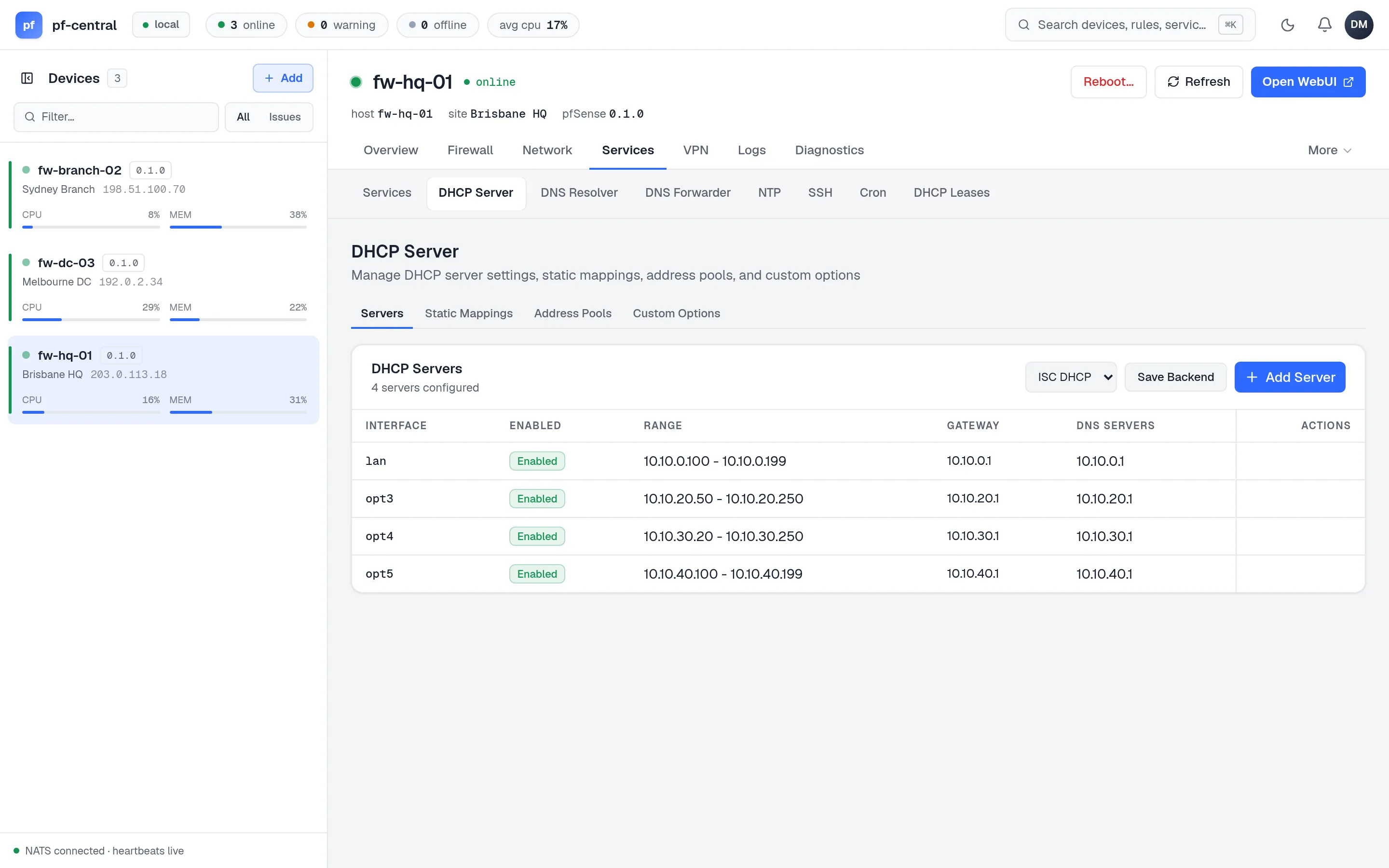
Four tabs:
| Tab | What you set |
|---|---|
| Servers | One per interface: enable, range, domain, gateway, DNS, WINS and NTP servers, domain search list, failover peer, deny unknown clients, MAC allow and deny lists, default and maximum lease time |
| Static Mappings | Pick the interface’s server, then MAC, IP, hostname and description |
| Address Pools | Extra ranges on the same interface, each with its own domain and gateway |
| Custom Options | DHCP option number, type and value |
The backend selector switches between ISC DHCP and Kea. It changes the setting in the configuration only; the switch happens when pfSense next restarts DHCP.
DNS Resolver
Section titled “DNS Resolver”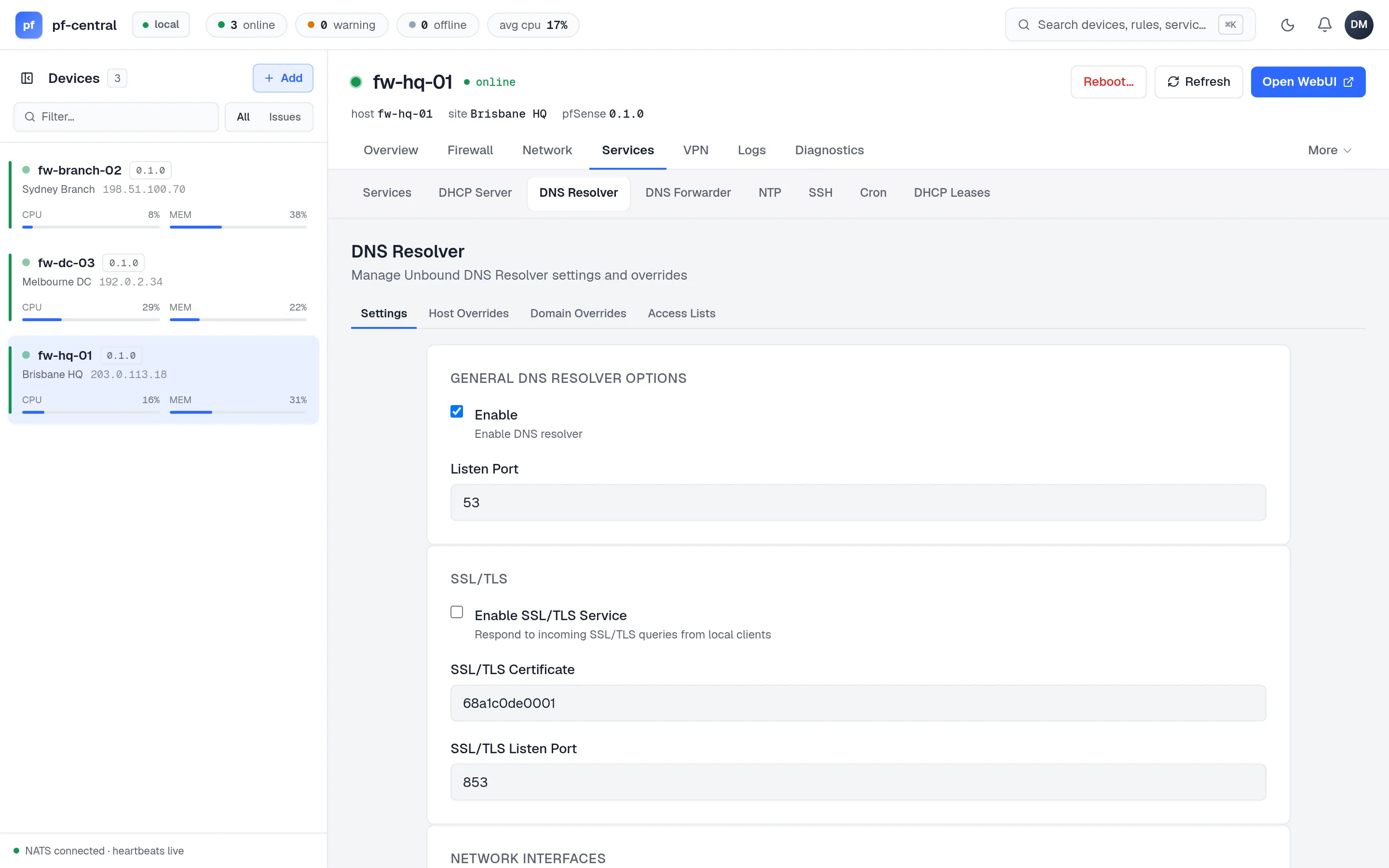
Four tabs:
- Settings: enable, port, DNS over TLS with certificate and port, listen and outgoing interfaces, local zone type, DNSSEC, Python module, forwarding mode, registration of DHCP leases, static mappings and OpenVPN clients, and custom options.
- Host Overrides: a host, a domain, one or more addresses, and extra names for the same addresses.
- Domain Overrides: send queries for a domain to another server, optionally over TLS.
- Access Lists: allow, deny or refuse queries from networks.
DNS Forwarder
Section titled “DNS Forwarder”Host overrides for dnsmasq: host, domain, address, description and extra names. Apply Changes restarts the forwarder. The forwarder’s general settings and domain overrides are not available in pfCentral yet.
Settings (enable, listen interfaces, maximum peers, orphan stratum, logging and statistics, authentication key) and a list of time servers. Each time server is a Server, a Pool or a Peer, with prefer and noselect options.
One form: enable SSH, port, authentication mode (password or key, key only, or key and password), and agent forwarding.
A list of cron jobs with minute, hour, day of month, month, day of week, user and command. All fields are free text, as in crontab.
DHCP Leases
Section titled “DHCP Leases”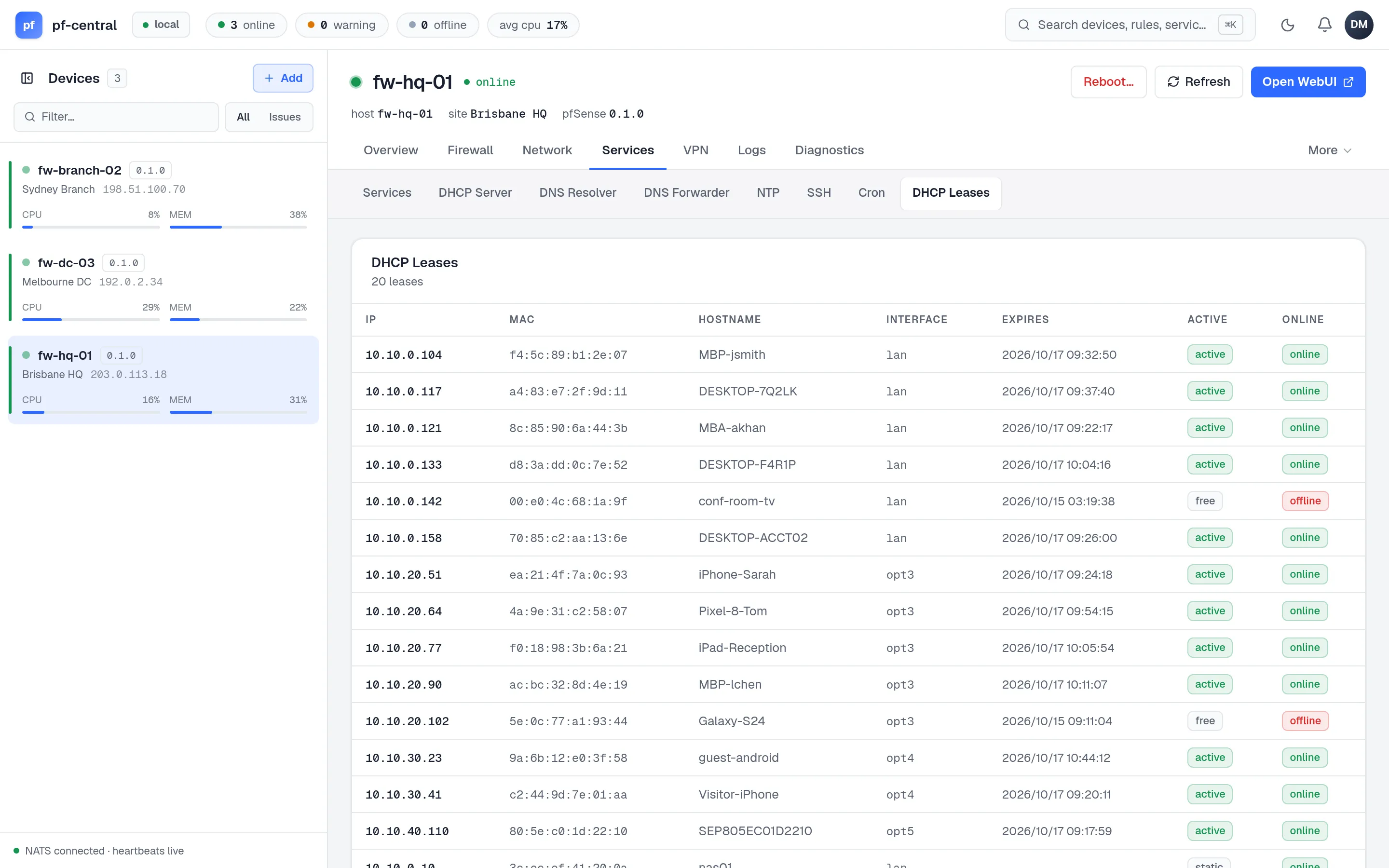
A read-only list of DHCP leases: address, MAC, hostname, interface, expiry, and whether the client is active and online. It reads ISC or Kea leases, matching the selected backend.